

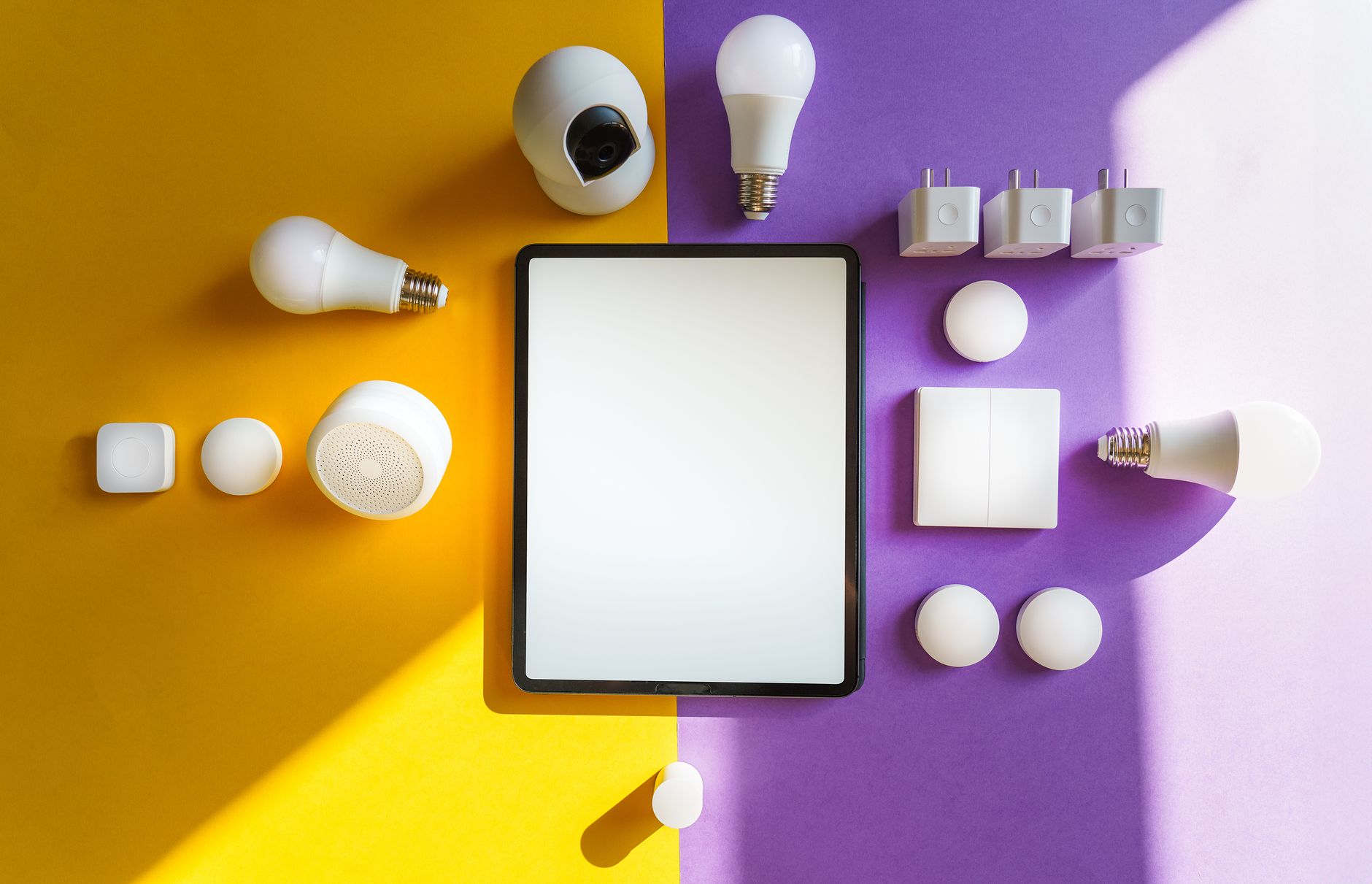
Abode Home Security Review (2026): Is It the Best System for Smart Homes?
If you’re researching the abode home security review 2026, you already know Abode exists — you’re deciding whether to buy it. That’s a reasonable place to be. According to the University of North Carolina Criminal Justice Research (UNC Criminal Justice, 2026), homes with visible security systems are 60% less likely to be targeted by burglars.
The system you actually install and use matters more than the one that looks best on paper. Abode makes a strong case — but it’s not for everyone, and most reviews don’t tell you who should skip it.
Disclosure: This post contains affiliate links. If you purchase through our links, we may earn a commission at no extra cost to you. It never affects what we recommend.
This review covers everything: hardware options, monitoring plans, Z-Wave and Zigbee integrations, the CUE Automation Engine, app experience, and an honest look at the pros and cons. By the end, you’ll know exactly whether Abode is the right system for your home.
| Product | Price | Best For | Key Caveat |
|---|---|---|---|
| Abode Security Kit | ~$20/mo (Pro) or $0/mo | Smart home power users | Steeper learning curve |
| Abode iota All-in-One | ~$20/mo (Pro) or $0/mo | Renters, small spaces | Camera not best-in-class |
| SimpliSafe | $19.99–$29.99/mo | Simplicity seekers | Limited smart home integrations |
| Ring Alarm | $10–$20/mo | Amazon Echo households | Locked into Ring/Amazon ecosystem |
| ADT | $28.99–$59.99/mo | Professional install preference | 3-year contracts required |
| Vivint | ~$30–$60/mo | Full-service smart home | 5-year contracts, high cost |
📚 Based on 2 independent sources linked below
What Is Abode? A Quick Brand Overview
Abode Systems launched in 2014 out of San Francisco with a straightforward premise: give homeowners a professional-grade security system without locking them into a multi-year monitoring contract. That was a genuinely contrarian idea at the time, when ADT and Vivint were signing customers to three- and five-year agreements as standard practice.
Here’s the catch: what really separates Abode from the field isn’t the no-contract pricing — it’s the protocol support. Abode is one of the only mainstream security systems that natively handles both Z-Wave and Zigbee. Those are the two dominant smart home communication protocols, and supporting both means Abode can connect with hundreds of third-party devices — smart locks, thermostats, lighting systems, leak sensors — without a separate hub. SimpliSafe and Ring can’t do this. That single fact is why smart home enthusiasts keep coming back to Abode.
Abode Hardware Options: Which Kit Is Right for You?
Abode offers three primary hardware configurations. Picking the right starting point saves money and frustration — the wrong kit for your situation is a common mistake first-time buyers make.
Abode iota All-in-One Security System
The Abode iota packs a security hub, HD camera, motion sensor, and siren into one compact unit. It’s built for renters, apartment dwellers, or anyone who wants minimal hardware footprint. The built-in camera streams live video to the Abode app, and the iota supports Z-Wave, Zigbee, and Wi-Fi devices straight out of the box.
Abode Security Kit
The Abode Security Kit is the traditional starter package: standalone security hub, door/window sensors, a motion sensor, and a key fob. This is the better choice for homeowners who want to build out a larger system over time. The hub supports the full Z-Wave and Zigbee accessory range, which makes it the right foundation for whole-home smart home integration.
Abode Security Hub (Build-Your-Own)
For advanced users, Abode sells the Security Hub as a standalone unit. You source your own compatible sensors and devices — useful if you already own Z-Wave or Zigbee hardware. It’s the most flexible option, and potentially the cheapest route if you’re starting from an existing device collection.
Hardware Comparison Table
| Kit | Includes | Best For | Z-Wave / Zigbee |
|---|---|---|---|
| Abode iota | Hub + camera + motion sensor + siren | Renters, small spaces | ✅ Both |
| Abode Security Kit | Hub + door sensors + motion sensor + key fob | Homeowners, expandable builds | ✅ Both |
| Abode Security Hub | Hub only | Advanced users, custom builds | ✅ Both |
All three options are available directly from Abode’s website and through Amazon and Best Buy.
What’s in the Box? Unboxing the Abode iota
The iota box is tightly packed: the hub unit, a power adapter, an Ethernet cable for wired backup, mounting hardware, and a quick-start guide. The build quality is solid — clean, modern design that sits comfortably on a bookshelf without looking like a security device.
One thing most guides skip: Abode includes the Ethernet cable as standard. That’s a deliberate signal that this system is designed for users who care about reliability, not just convenience. Most competitors ship Wi-Fi-only hubs with no wired fallback in the box at all.
Setting Up Abode: DIY Installation Walkthrough
No professional installer is required or offered — you handle setup via the Abode app. Security researchers confirm that alarm systems act as active deterrents to opportunistic burglars (Insaan et al., 2026), which makes getting your system running quickly a genuine safety priority, not just a convenience.
Step-by-Step Setup Process
- Download the Abode app — available on iOS and Android. Create your account.
- Power on the hub — plug in the iota or Security Hub and connect via Wi-Fi or Ethernet.
- Add sensors — the app walks you through pairing each door/window sensor and motion detector. Each takes under 60 seconds.
- Name your zones — label each sensor by room (e.g., “Front Door,” “Living Room Motion”).
- Set your monitoring mode — choose self-monitoring (free) or activate a Connect or Pro plan.
- Configure automations — set up CUE rules and smart home integrations (covered in detail below).
- Test the system — trigger each sensor to confirm alerts reach your phone.
How Long Does Installation Take?
A standard Abode Security Kit with four to six sensors takes roughly 30–45 minutes from unboxing to fully operational. The iota all-in-one is faster — closer to 20–30 minutes with fewer components. Budget an extra 10–15 minutes per third-party Z-Wave or Zigbee device you want to pair.
Is Abode Hard to Install?
If you’re comfortable with smartphone apps and basic Wi-Fi setup, the core system is straightforward. Configuring Z-Wave and Zigbee devices is a different matter — it requires more technical patience. Non-tech users can absolutely get the hub, sensors, and app alerts working without any expertise. The advanced automation features are where the learning curve steepens.
Abode Monitoring Plans and Pricing: abode home security review 2026
Abode’s three-tier monitoring structure is one of its strongest selling points. According to IBISWorld’s Home Security Industry Report (IBISWorld, 2026), the average U.S. household spends $35/month on professional home security monitoring. Abode’s Pro Plan at ~$20/month undercuts that by a meaningful margin — and unlike ADT or Vivint, there’s no contract forcing you to stay.
Free Self-Monitoring Plan
The free plan gives you full system use at zero monthly cost. Real-time push notifications, app alerts when sensors trigger, remote arm and disarm — all included. What you don’t get: cellular backup and a professional monitoring station. This plan works well for users who are reliably reachable on their phones. If you travel frequently or go off-grid, it’s not enough.
Connect Plan (~$8/month)
The Abode Connect Plan adds cellular backup. If your internet goes down — power outage, router failure, or someone cutting the line — the system switches to cellular automatically. You’re still monitoring yourself via the app, but your system stays online regardless of Wi-Fi status. Honestly, this is the plan most self-monitors should be on. Eight dollars a month for that reliability gap is well worth it.
Pro Plan (~$20/month — Professional Monitoring)
The Abode Pro Plan delivers 24/7 professional monitoring with no contract. A UL-listed monitoring centre watches your system around the clock. If an alarm triggers and you don’t respond within the configured window, the monitoring centre contacts you, then your emergency contacts, then dispatches emergency services. Cellular backup is included. Cancel any month — no fees, no penalties.
Monitoring Plans Comparison Table
| Plan | Monthly Cost | Professional Monitoring | Cellular Backup | Contract |
|---|---|---|---|---|
| Free / Self-Monitor | $0 | ❌ | ❌ | None |
| Connect Plan | ~$8 | ❌ | ✅ | None |
| Pro Plan | ~$20 | ✅ 24/7 | ✅ | None |
| ADT (comparison) | $28.99–$59.99 | ✅ 24/7 | ✅ | 3 years |
| Vivint (comparison) | ~$30–$60 | ✅ 24/7 | ✅ | 5 years |
| SimpliSafe (comparison) | $19.99–$29.99 | ✅ 24/7 | ✅ | None |
The No-Contract Advantage: What It Actually Saves You
Run the numbers. ADT at $28.99/month locks you in for 36 months — a minimum commitment of $1,043.64. Vivint at $30/month over 60 months totals $1,800. Abode’s Pro Plan at $20/month with no contract costs $240/year, or $720 over three years. That’s a saving of over $320 versus ADT’s entry price — with the freedom to cancel any month you choose. For budget-conscious buyers, that flexibility is real money.
Professional Monitoring with Abode: How It Works
When the Pro Plan is active and an alarm triggers, the sequence is: immediate push notification to your phone, a configurable entry delay window to disarm yourself, then the professional monitoring centre receives the alert. They call you first. If you don’t respond, they contact your designated emergency contacts. If still no response, they dispatch emergency services — police, fire, or medical depending on alarm type.
Abode’s monitoring centre is UL-listed, which is the same Underwriters Laboratories certification held by ADT and other major providers. That’s worth knowing — some buyers assume a smaller brand means a lower-grade monitoring operation. It doesn’t. Research into IoT-based home security confirms that connected monitoring systems significantly improve emergency response outcomes (SecureGuard, 2024).
Smart Home Integrations: Where Abode Truly Shines
This is where Abode separates itself from every mainstream competitor. Most security systems bolt on a handful of smart home integrations as an afterthought. Abode was designed from the ground up to function as a smart home hub first and a security system second. The result is the most open integration ecosystem in the DIY security market — and most reviews barely scratch the surface of what that means in practice.
Z-Wave Compatibility: Locks, Lights, and Thermostats
Z-Wave is the industry-standard protocol used by hundreds of manufacturers — Schlage, Yale, Kwikset, Leviton, Honeywell, Ecobee. Abode’s hub includes a built-in Z-Wave radio, so it pairs directly with any Z-Wave certified device without a separate bridge. In practical terms: your Abode system can lock your Schlage deadbolt, dim your Leviton smart lights, and adjust your Ecobee thermostat — all from the same app, the same automation rules, the same interface.
A concrete example: configure Abode so that arming in “Away” mode simultaneously locks all Z-Wave deadbolts, turns off all Z-Wave lights, and drops the thermostat to an energy-saving temperature. That level of integration isn’t possible with SimpliSafe or Ring Alarm without purchasing additional hubs. Full stop.
Zigbee Device Support
On top of Z-Wave, Abode supports Zigbee — used by Philips Hue, Samsung SmartThings sensors, and a wide range of budget-friendly smart plugs and sensors. Dual-protocol support in a single hub is rare at this price point. It means Abode can connect with virtually any smart home device currently on the market, regardless of which protocol it runs on.
Amazon Alexa Integration
Abode works natively with Amazon Alexa. Arm and disarm via voice commands through any Alexa-enabled device. Alexa routines can also trigger based on Abode system states — “Alexa, I’m leaving” can arm your system as part of a departure routine. The integration is stable and well-supported in 2026.
Google Home and Google Assistant
Google Home integration puts Abode in the Google Home app alongside your other connected devices. Check system status, arm the system, and build Google Assistant routines based on Abode events. For households built around Nest thermostats and Google Nest cameras, Abode slots in without friction.
Apple HomeKit Compatibility
Apple HomeKit support is one of Abode’s biggest differentiators — and the one most competitors’ reviews skip entirely. With HomeKit enabled, Abode appears in the Apple Home app on iPhone, iPad, and Mac. Arm and disarm via Siri (“Hey Siri, arm my home security”). HomeKit automations can trigger Abode actions — when your iPhone leaves home, HomeKit can automatically arm the system. No other mainstream security system at this price point offers this level of native Apple integration.
Setup takes about five minutes: add the Abode HomeKit accessory code during configuration. Once it’s done, it runs reliably.
IFTTT Support
Abode also supports IFTTT, which opens integrations with hundreds of additional services — Google Sheets logging, Slack notifications, custom webhook triggers. For power users who want automations beyond what the native CUE engine supports, IFTTT adds another layer of flexibility without requiring any coding.
Real-World Smart Home Use Cases
Four practical automation scenarios that Abode enables and competitors can’t easily replicate:
- Departure automation: Arm Abode in Away mode → lock all Z-Wave deadbolts → turn off all Zigbee smart plugs → set Ecobee thermostat to eco mode → send confirmation to Apple Home app.
- Arrival automation: Abode disarms via geofencing → unlock front door Z-Wave lock → turn on entryway lights → set thermostat to comfort temperature.
- Night mode: Arm Abode in Home mode → lock all exterior Z-Wave locks → dim all Zigbee lights to 10% → activate motion sensors on perimeter zones only.
- Alarm response: Alarm triggers → Abode siren activates → all Z-Wave lights flash → Alexa announces “Security alert” → monitoring centre notified via Pro Plan.
The CUE Automation Engine: Abode’s Hidden Power Feature
Most Abode reviews mention CUE in passing — or skip it entirely. That’s a significant oversight. CUE is Abode’s native rule-based automation engine, built directly into the hub. It doesn’t require IFTTT, an Alexa skill, or any third-party service to function.
With CUE, you build “if/then” rules using any combination of triggers and actions. Triggers include: sensor state changes (door opens, motion detected), system mode changes (armed/disarmed), time of day, geofencing events, or device state changes. Actions include: arming or disarming the system, activating Z-Wave or Zigbee devices, sending push notifications, or triggering a siren.
Here’s a real example of what that looks like in practice: “IF the back door sensor opens AND the system is in Away mode AND the time is between 10pm and 6am, THEN sound the siren AND send a push notification AND lock the front Z-Wave deadbolt.” That conditional logic isn’t available in SimpliSafe or Ring Alarm without external automation platforms. That matters because CUE also runs locally on the hub — it keeps working even if your internet connection drops. That’s a reliability advantage most buyers don’t think about until they need it.
The Abode App: Features, UX, and Reliability
The Abode app runs on iOS and Android and is the primary control interface for everything. The main dashboard shows current system status (armed/disarmed/home mode), a live feed of recent sensor activity, and quick-access controls for arming modes.
Key features: live camera streaming on iota systems, real-time push notifications for all sensor events, remote arm/disarm, CUE automation rule management, Z-Wave and Zigbee device status monitoring, and event history logs.
The downside nobody mentions: some users have reported occasional push notification delays and minor bugs in the Z-Wave device management interface. These aren’t widespread issues, but they’re worth acknowledging — especially for users on the free plan who rely entirely on app alerts. Abode has shipped several stability updates through 2026–2026, and the current version is considerably more reliable than earlier builds. It’s not perfect, but it’s solid enough for daily use.
Abode Customer Support: What to Expect
Abode offers email, live chat, and a community forum. Phone support is reserved for Pro Plan subscribers. Live chat response times are generally prompt during business hours. The community forum is particularly active and useful for Z-Wave and Zigbee compatibility questions — a reflection of Abode’s technically engaged user base, which is genuinely helpful when you’re troubleshooting an edge case at 11pm.
That said, compared to ADT or Vivint — which offer 24/7 phone support as part of their premium pricing — Abode’s support is more limited for free and Connect plan users. That’s a fair trade-off given the significantly lower cost, but users who want hands-on telephone support should factor this in before buying.
Abode Home Security Pros and Cons
| ✅ Pros | ❌ Cons |
|---|---|
| No long-term contracts — cancel anytime | More complex setup than SimpliSafe or Ring |
| Native Z-Wave + Zigbee dual-protocol support | iota camera quality is functional, not exceptional |
| Apple HomeKit, Alexa, and Google Home compatible | No professional installation option |
| Free self-monitoring plan available | Phone support limited to Pro Plan subscribers |
| Pro monitoring at ~$20/mo — below industry average | Smaller brand recognition than Ring or ADT |
| CUE Automation Engine runs locally (no internet needed) | Occasional app notification delays reported |
| Expandable with hundreds of third-party devices | Advanced Z-Wave setup can confuse beginners |
Abode vs. SimpliSafe vs. Ring: Quick Comparison
Each of these three systems targets a different buyer. Understanding that distinction is more useful than comparing spec sheets line by line.
| Feature | Abode | SimpliSafe | Ring Alarm |
|---|---|---|---|
| Professional Monitoring | ~$20/mo (no contract) | $19.99–$29.99/mo (no contract) | $10–$20/mo (no contract) |
| Self-Monitoring | ✅ Free | ✅ Free (limited) | ✅ Free (limited) |
| Z-Wave Support | ✅ Native | ❌ None | ❌ None |
| Zigbee Support | ✅ Native | ❌ None | ❌ None |
| Apple HomeKit | ✅ Yes | ❌ No | ❌ No |
| Amazon Alexa | ✅ Yes | ✅ Yes | ✅ Yes (native) |
| Google Home | ✅ Yes | ✅ Yes | ✅ Yes |
| IFTTT | ✅ Yes | ❌ No | ❌ No |
| Native Automation Engine | ✅ CUE Engine | ❌ Limited | ❌ Limited |
| Contract Required | ❌ None | ❌ None | ❌ None |
| DIY Installation | ✅ Yes | ✅ Yes | ✅ Yes |
| Best For | Smart home power users | Simplicity seekers | Amazon ecosystem users |
SimpliSafe wins on ease of use — it’s the right call for anyone who wants security without a learning curve. Ring Alarm wins for Amazon Echo households on a tight budget. But Abode wins decisively on smart home integration depth, protocol support, and automation flexibility. If you’ve already invested in Z-Wave or Zigbee devices — or you’re an Apple HomeKit user — Abode is genuinely in a category of its own. The other two systems can’t touch it on those dimensions.
Who Should (and Shouldn’t) Buy Abode?
Abode isn’t the right system for everyone. Being clear about this saves time.
Abode Is Perfect For:
- Smart home enthusiasts who already own Z-Wave locks, Zigbee sensors, or Philips Hue lighting and want a security system that connects with all of it natively.
- Apple ecosystem users who want full HomeKit integration and Siri voice control for their security system.
- Budget-conscious homeowners who want professional-grade monitoring without a multi-year contract commitment.
- Renters and apartment dwellers who need a portable, no-drill-required system — especially the iota all-in-one.
- Tech-savvy DIYers who enjoy configuring automations and building a fully integrated smart home environment.
Abode May Not Be Right For:
- Non-tech users who want a simple plug-and-play experience with minimal configuration — SimpliSafe is the better fit here.
- Users who want professional installation — Abode is DIY-only; ADT or Vivint are better options for hands-off setup.
- Amazon-first households already deep in the Ring ecosystem — Ring Alarm integrates more natively with Alexa and Ring cameras.
- Users who need the highest-quality integrated cameras — the iota camera is functional, but dedicated systems like Arlo Pro 4 offer meaningfully better video quality.
Our Verdict
Abode is the best DIY home security system for smart home users in 2026 — its native Z-Wave, Zigbee, Apple HomeKit, Alexa, and Google Home support at ~$20/month with no contract is unmatched at this price point. The main limitation is that its advanced features require technical confidence; non-tech users will find SimpliSafe easier to live with day-to-day.
Frequently Asked Questions About Abode Home Security
Does Abode require a monthly fee?
No. Abode’s free self-monitoring plan includes full app control, push notifications, and remote arm/disarm at no cost. Professional monitoring is optional at ~$20/month with no contract. You can switch between plans at any time.
Is Abode compatible with Google Home and Alexa?
Yes. Abode supports Amazon Alexa, Google Home, and Google Assistant natively. You can arm and disarm the system using voice commands and incorporate Abode into broader smart home routines on either platform.
Does Abode work with Apple HomeKit?
Yes — and this is one of Abode’s biggest differentiators. It’s one of the very few mainstream security systems with full Apple HomeKit support. Once configured, you can control the system via the Apple Home app and Siri voice commands, and build HomeKit automations that trigger Abode actions.
How does Abode compare to SimpliSafe?
Abode has significantly deeper smart home integration — native Z-Wave, Zigbee, Apple HomeKit, and IFTTT support that SimpliSafe lacks entirely. SimpliSafe is easier to set up and better suited to non-tech users. Abode is the stronger choice for smart home enthusiasts who want full device compatibility and automation control.
Can I use Abode without a subscription?
Yes. The free plan provides full self-monitoring functionality with no trial period or forced upgrade. You get all app alerts and remote control. The only features requiring a paid plan are cellular backup (Connect, ~$8/month) and professional monitoring (Pro, ~$20/month).
What smart home devices work with Abode?
Abode works with hundreds of Z-Wave and Zigbee certified devices — smart locks from Schlage, Yale, and Kwikset; thermostats from Ecobee and Honeywell; Philips Hue lighting; and a wide range of third-party sensors and smart plugs. It also integrates with Alexa, Google Home, Apple HomeKit, and IFTTT for even broader compatibility.
Which monitoring plan does Abode recommend for most users?
For most homeowners, the Pro Plan at ~$20/month offers the best balance of protection and value. It includes 24/7 professional monitoring, cellular backup, and no contract — all for less than the industry average of $35/month reported by IBISWorld. Users who are reliably reachable on their phones may find the free plan sufficient, but we’d push most people toward at least the Connect plan for the cellular backup alone.
Final Verdict: Is Abode the Best System for Smart Homes in 2026?
Yes — for the right buyer. Abode is the best DIY home security system for smart home enthusiasts in 2026. No other mainstream system at this price point combines native Z-Wave and Zigbee support, Apple HomeKit compatibility, a powerful local automation engine in CUE, and no-contract professional monitoring at ~$20/month.
Security researchers consistently find that alarm systems act as effective deterrents to opportunistic burglars (Manning et al., 2026). The system that actually fits your home and your habits is the one that gets used — and for tech-savvy homeowners, Abode delivers that fit better than anything else at this price.
For non-tech users who want simplicity above everything else, SimpliSafe is the easier choice. For Amazon Echo households on a tight budget, Ring Alarm is a strong alternative. But for anyone who’s invested in a smart home ecosystem — particularly Apple HomeKit users — Abode stands alone.
Ready to get started? The Abode Security Kit and Abode iota All-in-One are available directly from Abode’s website, Amazon, and Best Buy.
For a broader look at how Abode stacks up against all major security systems, see our complete Best Home Security Systems — 2026 Buyer’s Guide.
References
- IBISWorld. (2026). Home Security Industry Report. IBISWorld. https://www.ibisworld.com/
- Insaan, N., Maulana, Y., Rengga, N., et al. (2026). Innovative laser alarm system for enhanced home security and burglary prevention. IC-ITECHS, 5(1). https://doi.org/10.32664/ic-itechs.v5i1.1654
- Manning, M., Wong, G., & Ip, M. (2026). An evaluation of an Australia-based home burglary prevention program. Security Journal. https://doi.org/10.1057/s41284-022-00355-0
- SecureGuard: An IoT-Based Home Security Solution for High-Burglary Areas. (2026). 2024 IEEE International Symposium on Consumer Technology (ISCT). https://doi.org/10.1109/isct62336.2024.10791233
- University of North Carolina Criminal Justice Research. (2026). Home security and burglary deterrence research. ASU Center for Problem-Oriented Policing. https://popcenter.asu.edu/
Get more Home Security guides — free
New expert articles delivered straight to your inbox. No spam, unsubscribe anytime.