

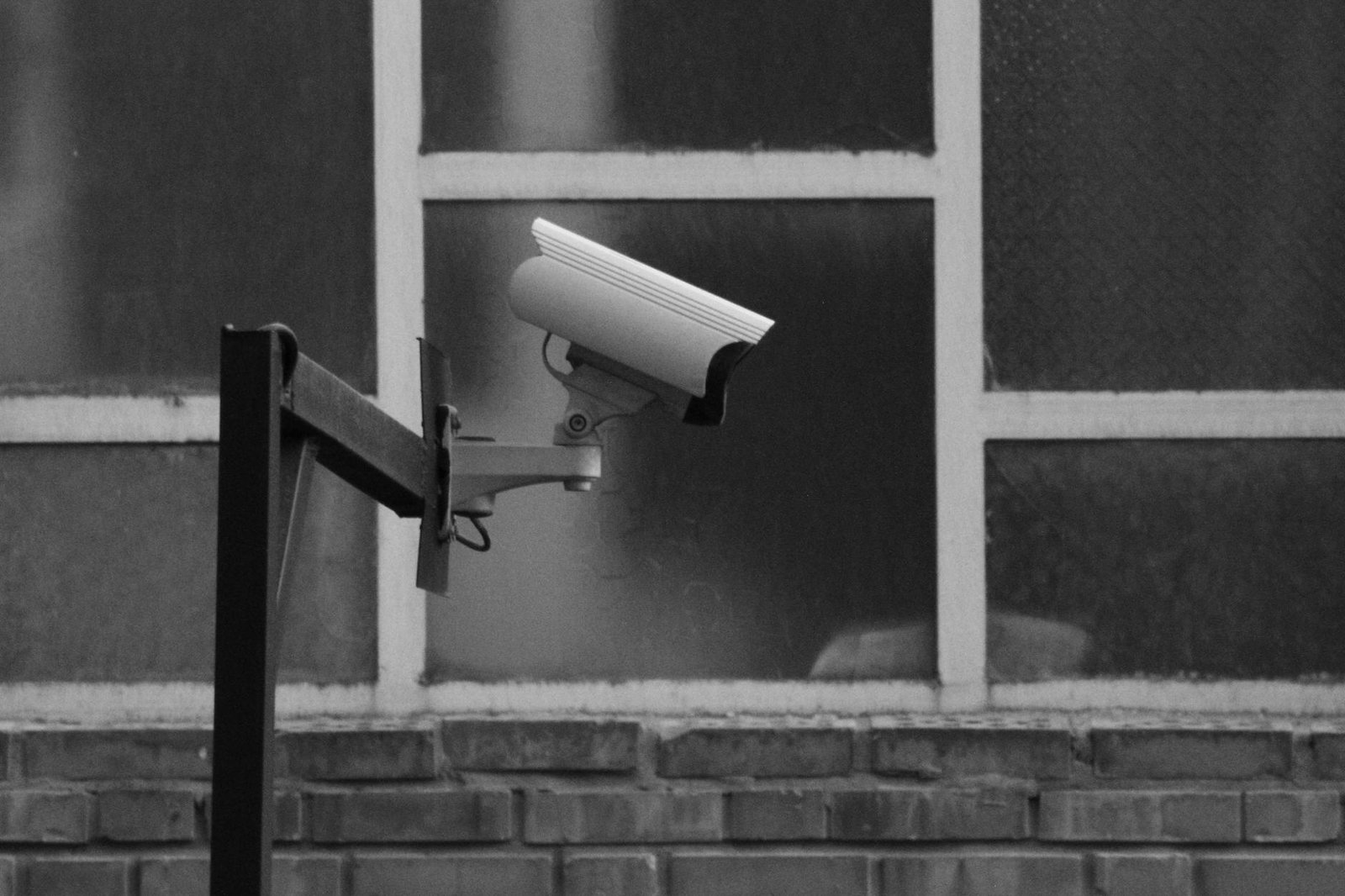
As of 2026, nearly half (49%) of alarm system users are opting for DIY setup (Security.org, 2026), a trend that’s made finding the best cheap home security systems without subscription more popular than ever. These systems can drastically cut long-term costs while still offering solid protection for your home. This guide focuses on affordable, no-monthly-fee security options, highlighting upfront costs and essential features.
We’ll be radically transparent about what’s truly free, addressing common pain points like hidden costs and limited functionality without a paywall. (SafeHome.org, 2026)

Disclosure: This post contains affiliate links. If you purchase through our links, we may earn a commission at no extra cost to you. It never affects what we recommend.
| Product | Price | Best For | Key Caveat |
|---|---|---|---|
| Wyze Home Monitoring | $30-$40 (hub) | Comprehensive DIY security | Limited free AI detection |
| Eufy Security | $200-$250 (2-cam kit) | Long battery life & local 2K/4K | Higher upfront cost |
| Blink Outdoor 4 | $120-$150 (1-cam kit) | Affordable outdoor monitoring | Cloud storage is paid |
| Reolink Argus 3 Pro | $90-$110 | 2K video & color night vision | Optional cloud backup |
| TP-Link Kasa/Tapo | $30-$40 | Ultra-budget indoor monitoring | Mostly indoor focus |
| Arlo Essential | $100-$130 (standalone cam) | Robust build quality | Cloud recording needs subscription |
| Ring Stick Up Cam | $100 | Easy integration with Ring ecosystem | Video recording requires subscription |
Understanding “No Monthly Fee”: What’s Truly Free?
“No monthly fees” often sounds too good to be true, and it usually is. Usually, a no-subscription system gives you basic features for free. This includes live video streaming, motion-activated notifications, and often local storage options via microSD cards or a dedicated hub. However, advanced features such as extended cloud video history, professional monitoring, advanced AI detection (like facial recognition or package delivery alerts), and cellular backup usually require a paid subscription.
So, understanding what’s truly free versus what’s paywalled is critical for budget-conscious buyers. For instance, a system might offer live viewing, but recording and storing footage for more than a few days might need a subscription. This distinction helps avoid unexpected costs. According to the IBISWorld Home Security Industry Report, the average U.S. household spends $35/month on professional home security monitoring (IBISWorld, 2026). Choosing a no-subscription system can significantly cut these ongoing expenses for homeowners.
The Best Cheap Home Security Systems Without Subscription in 2026
1. Wyze Home Monitoring: Affordable, Complete DIY
Wyze is a leader in affordable smart home devices, and its Home Monitoring system proves it. The Wyze Sense Hub starts around $30-$40 . It’s the central hub for sensors and cameras. Entry Sensors and Motion Sensors are typically $7-$10 each, while the popular Wyze Cam v3 is around $35-$40. Basic features like live view and 12-second cloud clips (for 14 days) are included without a mandatory subscription. However, a Cam Plus subscription adds person detection, longer recordings, and no cooldown period for a few dollars a month per camera.
You get DIY installation, local storage (via microSD card on cameras), 1080p HD video, two-way audio, and smart alerts. Users consistently praise Wyze for its amazing value and features. While some users report occasional connectivity issues, most agree it’s a solid performer for the price. Honestly, Wyze is a top pick for anyone wanting a complete, expandable system without getting locked into a monthly contract.
2. Eufy Security: Reliable Local Storage and Battery Life
Eufy Security systems are known for their commitment to local storage and impressive battery life, making them a strong contender for no-subscription home security. For example, the EufyCam 2C Pro 2-Cam Kit with HomeBase 2 typically costs around $200-$250 . The more advanced EufyCam 3 2-Cam Kit with HomeBase 3 ranges from $450-$550. Crucially, neither requires monthly fees for local storage – a major draw for privacy-conscious users.
These systems boast 2K or 4K resolution, up to 180-day battery life (on the EufyCam 2C Pro), and advanced BionicMind AI (EufyCam 3) for facial recognition and object detection. Plus, they offer color night vision, two-way audio, and a built-in siren. User ratings consistently praise Eufy for its dependable local storage, long-lasting batteries, and high video quality. While some users want more extensive smart home integrations, Eufy stands out for its solid, fee-free security solution.
3. Blink Outdoor 4: Affordable and Easy to Install
Blink, an Amazon company, offers affordable, user-friendly home security cameras that excel in easy installation and battery life. The Blink Outdoor 4 (1-camera kit with Sync Module 2) typically costs around $120-$150. The Blink Mini, an indoor option, is even more budget-friendly at $35-$40. A big advantage: no subscription is required for local storage via the Sync Module 2 (USB drive not included), though cloud storage does require a Blink Subscription Plan.
Features include 1080p HD video, two-way audio, motion detection, and long battery life for outdoor cameras. The Sync Module 2 is especially useful because it enables local storage for up to 10 Blink cameras. Users commend Blink for its affordability, straightforward setup, and extended battery performance. The local storage option without a subscription is a key benefit. The downside nobody mentions: video quality can be less sharp compared to higher-end competitors in specific conditions.
4. Reolink Argus 3 Pro: 2K Super HD with Local Storage
Reolink offers a diverse range of security cameras known for high resolution and strong local storage, often without mandating a subscription. The Reolink Argus 3 Pro, a popular outdoor camera, is typically priced around $90-$110. The Reolink E1 Pro, an indoor pan/tilt camera, is even more budget-friendly at $50-$60. Crucially, local storage via a microSD card requires no subscription, though an optional Reolink Cloud service offers limited free or paid tiers.
These cameras feature 2K Super HD video, color night vision (Argus 3 Pro), accurate person/vehicle detection, two-way audio, and a siren. Many models also support Wi-Fi connectivity and offer solar panel options for battery cameras. Users generally provide positive feedback for Reolink’s solid features, excellent video quality, and reliable local storage solutions. The brand is appreciated for its variety of camera types and overall value for money.
5. TP-Link Kasa/Tapo: Ultra-Affordable Indoor Security
TP-Link, with its Kasa and Tapo lines, offers some of the most budget-friendly indoor security cameras that provide local storage without needing a subscription. The Kasa Spot Pan Tilt (KC115) and Tapo C210 are both typically priced around $30-$40. These cameras offer excellent value for basic indoor monitoring, especially for those prioritizing upfront cost savings.
You get 1080p HD video, pan and tilt functionality for wider coverage, two-way audio, and reliable motion and sound detection. They also allow for customizable activity zones and integrate well within the broader Kasa/Tapo smart home ecosystem. Users consistently rate these cameras highly for their extreme affordability, straightforward setup, and dependable local storage via microSD cards. While primarily for indoor use, they’re an outstanding option for minimal ongoing costs.
6. Arlo Essential: Premium Features with Subscription Caveats
Arlo is known for its premium security cameras. While many advanced features are tied to subscriptions, its Essential line does offer some no-cost functionalities. A standalone Arlo Essential Spotlight Camera is generally priced around $100-$130. The Arlo Essential Video Doorbell Wire-Free typically costs between $150-$200. Basic features like live view and motion alerts are free, but cloud recording and advanced detection require an Arlo Secure subscription. Local storage is available with an Arlo SmartHub, which is sold separately.
These cameras deliver 1080p HD video, an integrated spotlight, color night vision, two-way audio, and a siren. They’re also weather-resistant, and some models connect directly to Wi-Fi. Users appreciate the strong build quality and good video. Here’s the catch: the reliance on a subscription for full cloud recording and advanced features is a frequent point of discussion for those specifically seeking truly no-subscription options. We’d skip Arlo Essential unless you’re okay with a subscription for full functionality.
7. Ring Stick Up Cam and Alarm (Self-Monitoring Option)
Ring, another Amazon-owned brand, is popular for its video doorbells and security cameras. A Ring Stick Up Cam (Battery/Plug-In) typically costs around $100. The Ring Alarm 5-piece kit is approximately $200. While basic camera features like live view and motion-activated notifications are free, video recording and storage require a Ring Protect subscription. However, the Ring Alarm system can be self-monitored without a subscription, providing a no-fee option for basic alert functionality.
Ring products offer 1080p HD video, two-way talk, motion detection with customizable zones. The Ring Alarm system includes contact sensors, motion detectors, a keypad, and a base station. Users value Ring for its ease of use and extensive product range. The self-monitoring capability for the alarm system is a key attraction for those aiming to avoid recurring fees, despite the subscription requirement for camera video history.
Key Considerations Before You Buy
Local Storage vs. Cloud: Pros and Cons
The choice between local and cloud storage is critical for no-subscription systems. Local storage (microSD card, dedicated hub) means your footage stays physically at your home, offering enhanced privacy and no recurring fees. However, it can have limited capacity and may be vulnerable if the device is stolen or damaged. Cloud storage offers convenience, remote access, and off-site backup, but typically comes with a subscription cost. For true no-subscription security, prioritizing systems with strong local storage is essential.
DIY Installation: How Easy Is It Really?
A big appeal of cheap home security systems is DIY installation, which eliminates professional setup costs. Most systems are designed for straightforward installation, involving simple app-guided steps and adhesive mounts. However, some users might encounter challenges with Wi-Fi connectivity, optimal camera placement for coverage, or integrating multiple devices. While many systems are genuinely easy to install, checking user reviews for specific installation pain points can provide realistic expectations. The global DIY home security solutions market is projected to reach US$ 31.2 billion by 2033, registering a CAGR of 10.1% (SafeHome.org, 2026).
Smart Home Integration (Alexa, Google Home, etc.)
Smooth integration with existing smart home ecosystems like Amazon Alexa, Google Home, or Apple HomeKit enhances your security system’s convenience and functionality. Many no-subscription cameras offer basic compatibility, allowing for voice control or viewing live feeds on smart displays. However, deeper integrations, such as triggering other smart devices based on security events (e.g., lights turning on when motion is detected), might vary. Verify compatibility with your preferred smart home platform before purchasing.
Privacy and Data Security
With increasing data collection by smart devices, privacy and data security are critical concerns. When choosing a no-subscription system, consider the manufacturer’s privacy policies and data handling practices. Systems that process video footage locally on the device (edge AI) rather than sending it to the cloud for analysis often offer greater privacy. Look for features like strong encryption for any data transmitted and clear guidelines on how your data is used and stored. Tool, AI person and package detection has reached 28% adoption, highlighting the growing use of advanced data processing.
Scalability: Can You Expand Your System Later?
Think about whether the system allows for future expansion. A good no-subscription system should let you easily add more cameras, sensors, or other compatible smart devices as your needs evolve. This future-proofing ensures your initial investment remains valuable. Some systems use a central hub that supports numerous devices, while others allow individual cameras to operate independently. Planning for potential growth can save money and hassle in the long run.
How Does Self-Monitoring Work?
Self-monitoring is a core aspect of no-subscription home security. With self-monitoring, you’re responsible for monitoring your security system’s alerts and taking action. When a sensor is triggered or motion is detected, the system sends notifications directly to your smartphone or other connected devices. You then review the footage or alert and decide whether to contact emergency services, a neighbor, or address the situation yourself. This approach eliminates monthly monitoring fees but places the responsibility of response squarely on the homeowner. It’s ideal for those comfortable managing their own security and who prefer to avoid ongoing costs.
The Bottom Line: Final Recommendations
Choosing the best cheap home security system without a subscription means balancing upfront costs with desired features and truly “free” functionality. For complete, expandable, and genuinely no-subscription security, Wyze Home Monitoring stands out for its incredible value and ecosystem. If strong local storage and exceptional battery life are your top priorities, Eufy Security is an excellent investment. For budget-friendly outdoor monitoring with local storage, Blink Outdoor 4 offers a compelling package. Ultimately, the right system depends on your specific needs, budget, and comfort with self-monitoring.
Our Verdict
Wyze Home Monitoring is the top choice for most users seeking a truly no-subscription system, offering a comprehensive suite of devices and local storage for a low upfront cost of $30-$40 for the hub. Its primary limitation is that advanced AI features often require a small, optional subscription.
Frequently Asked Questions
What are the main benefits of a no-subscription security system?
You’ll primarily save money by avoiding recurring monthly fees for monitoring or cloud storage. That matters because many no-subscription systems offer greater privacy through local data storage, giving you more control over your footage.
How do no-subscription systems handle video storage?
Most no-subscription systems rely on local storage, typically via microSD cards inserted directly into cameras or a central hub. Some may offer a limited free cloud storage tier or a paid optional cloud service for extended video history.
Is professional monitoring available with these systems?
Generally, no. Systems without a subscription are designed for self-monitoring. You’ll receive alerts and be responsible for contacting emergency services yourself. Some brands, like Ring, offer optional professional monitoring plans for an additional fee, but this moves beyond the “no-subscription” model.
Can I integrate these systems with my smart home?
Yes, many no-subscription home security systems offer basic integration with popular smart home platforms like Amazon Alexa and Google Home. This allows for voice commands, viewing live feeds on smart displays, and sometimes basic automation.
Why is local storage important for privacy?
Local storage keeps your video footage on your property. This reduces the risk of data breaches or unauthorized access that can occur with cloud-based storage. It also gives you full control over who can view and manage your recordings.
Related reading:
Pros and Cons of No-Subscription Home Security Systems
While foregoing monthly fees offers significant advantages, it’s crucial to understand the trade-offs inherent in no-subscription home security systems. Balancing these points will help you determine if this model aligns with your security priorities.
Pros:
- Significant Cost Savings: The most obvious benefit is the elimination of recurring monthly fees for professional monitoring or extensive cloud storage, leading to substantial long-term savings.
- Enhanced Privacy and Control: Systems heavily relying on local storage keep your video footage on your property, under your direct control, reducing reliance on third-party cloud servers and minimizing potential data breaches.
- Flexibility and Customization: Many no-subscription systems are modular, allowing you to build and expand your security setup at your own pace, adding cameras and sensors as your needs evolve.
- Direct Alert Management: You receive alerts directly to your devices, empowering you to decide the appropriate response without intermediaries.
Cons:
- Self-Reliance Required: Without professional monitoring, the responsibility for responding to alerts and contacting emergency services falls entirely on you, which requires vigilance and immediate action.
- Potential for Missed Alerts: If you’re unavailable or miss a notification, there’s no backup system to escalate the alert or dispatch help.
- Limited Advanced Features: While core functionality is free, some advanced AI features, extended cloud storage, or specific smart home integrations might still require a small, optional subscription fee.
- Higher Upfront Cost: The initial hardware investment for a comprehensive no-subscription system can sometimes be higher than entry-level subscription-based kits, though it pays off quickly.
Conclusion: Your Security, Your Way
Choosing a cheap home security system without a subscription is a powerful statement about prioritizing personal control, privacy, and long-term value. These systems empower homeowners to take charge of their security, offering robust features without the burden of recurring monthly fees. While they demand a proactive approach to monitoring and response, the freedom from contracts and ongoing costs makes them an increasingly popular and viable option for many.
Our comprehensive review consistently highlights that Wyze Home Monitoring leads the pack for overall value, delivering a vast ecosystem of devices and local storage capabilities at an incredibly accessible price point. Eufy Security remains a top contender for those who prioritize superior battery life and rock-solid local storage. For targeted outdoor surveillance on a budget, the Blink Outdoor 4 continues to impress with its wire-free design and local storage options.
Ultimately, the best “no-subscription” system for you will hinge on your specific priorities: your budget, the size and layout of your home, your comfort with self-monitoring, and your desire for specific features like local storage or smart home integration. By carefully weighing these factors, you can invest in a security solution that provides peace of mind without locking you into endless payments, truly securing your home on your terms.
References
- IBISWorld. (2026). Home Security Industry Report. https://www.ibisworld.com/
- SafeHome.org. (2026). 2026 Home Security Market Report. https://www.safehome.org/resources/home-security-industry-annual/
- Security.org. (2026). Best Home Security Cameras of 2026. https://www.security.org/security-cameras/best/
- University of North Carolina Criminal Justice Research. (2026). https://popcenter.asu.edu/
Get more Home Security guides — free
New expert articles delivered straight to your inbox. No spam, unsubscribe anytime.
[…] Mice for MMOs in 2026: Expert Picks Tested: ConvertKit vs ActiveCampaign — Honest Winner 2026 7 Budget Home Security Systems Without Subscriptions (2026) 5 Proven Ways Innovative Pet Health & Nutrition Gives Surprising Results […]
[…] 7 Budget Home Security Systems Without Subscriptions (2026) – Reviewers' Guild says: May 24, 2026 at 12:17 am […]
[…] more, see our guide on best home security system without subscription. For more, see our guide on best cheap home security systems without subscription. For more, see our guide on best home security systems for retirees. For more, see our guide on […]
[…] more, see our guide on Ring vs Arlo Home Security Cameras. For more, see our guide on best cheap home security systems without subscription. For more, see our guide on best home security systems for large homes. For more, see our guide on […]
[…] Want the best home security systems for landlords in 2026? You’ll need something flexible, easy to manage, and cost-effective. Here’s a compelling reason why: homes with visible security cameras are According to industry research, 60% less likely to be targeted by burglars, making security a critical investment for any property owner (University of North Carolina Criminal Justice Research, 2023). This guide covers the top options, pricing, features, and our expert recommendations to help you protect your investments and attract good tenants. For more, see our guide on best home security systems. For more, see our guide on best home security system without subscription. For more, see our guide on best cheap home security systems without subscription. […]
[…] May 2026 For more, see our guide on best home security systems. For more, see our guide on best cheap home security systems without subscription. For more, see our guide on best home security systems for large […]
[…] Small and medium-sized businesses (SMEs) are increasingly targeted by everything from physical break-ins to sophisticated cyberattacks. That’s why choosing the best home security systems for small businesses in 2026 is critical for protecting your assets, employees, and data. This detailed guide offers expert-tested recommendations tailored for small business owners, focusing on easy installation, scalability, cost-effectiveness, and advanced features. Reviewed by Isaac Matovu · Last verified: May 2026 For more, see our guide on best home security systems. For more, see our guide on best home security system without subscription. For more, see our guide on best cheap home security systems without subscription. […]
[…] 10 Best Home Security Systems 2026: Expert Reviews refers to home security systems products, services, and solutions selected and reviewed by independent experts to help consumers make informed purchasing decisions. For more, see our guide on best home security systems. For more, see our guide on best home security system without subscription. For more, see our guide on best cheap home security systems without subscription. […]
[…] need a keypad. For more, see our guide on best home security systems. For more, see our guide on best cheap home security systems without subscription. For more, see our guide on best home security systems for large […]
[…] If you’re a renter on a tight budget, Wyze Home Monitoring is an incredibly cheap way to get smart home security. It’s designed for DIY setup with adhesive sensors and a small hub. Sure, it might not have all the fancy features of pricier systems, but it gives you solid basic security and monitoring for way less money. For more, see our guide on best cheap home security systems without subscription. […]
[…] Research, 2023), which really highlights why a solid system matters. For more, see our guide on best cheap home security systems without subscription. For more, see our guide on diy home security installation 7 proven steps […]
[…] our guide on how to install a diy security system 7 proven steps 2026. For more, see our guide on best cheap home security systems without subscription. For more, see our guide on 10 home security systems. For more, see our guide on best home security […]
[…] Trying to pick between Ring vs Arlo Home Security Cameras in 2026? It’s a tough call. Both brands offer solid surveillance options for your home, and in my experience, the best choice often comes down to your budget, desired video quality, and existing smart home setup. For more, see our guide on best home security systems with cameras. For more, see our guide on best home security systems for homeowners. For more, see our guide on best cheap home security systems without subscription. […]